Puppy Love

I’m finding more and more inspiration for scrapbook pages in reading online blogs and looking at websites selling pre-made digital templates.  Because I’m not using PhotoShop, most of those templates are not much use to me. It is easier to make my own in StoryBook Creator than to figure out how to re-layer the many files that are sent with a downloaded template. (I’ve tried it on a few freebies and decided it was way more trouble than it’s worth)

What I have been doing, though, is much like what we do when we’re scrapbooking traditionally. (and I use this technique for both digital and traditional pages)  I simply “eyeball” the page and make my own version using rough estimates on what sizes the pictures are and where the embellishments are placed.  This challenge has been fun and I have been enjoying seeing if I can reproduce what I see online with some relative semblance of accuracy.

Here’s an example:  I saw this layout from Designer Digitals:

LT707240And decided to create this layout:

PuppyLove - Page 019You will notice I took some creative license with my design.  I didn’t add the dotted/stitched border.  I added an additional embellishment.  I had planned to put a background in there once I was finished, but then I decided I liked the clean look of the white page, so I left it.
I’ve been thinking about doing a page on Sydney for a while, and have been waiting for the right inspiration to hit.  Well, one look at that layout and I was ready to go.

Inspiration can come from many places.  You can be inspired by a picture, by an advertisement, by colors, fabrics, sunrises, etc.  The trick is to be open to the muse and either act on it right away or write your ideas down so that you can act later.

These Hands

These Hands - Page 018

These Hands…


Are Strong and Tough
Yet Gentle and Loving
Work Hard and Rough
and Caress so Softly
Represent Making a Living
and Safety and Security
These Hands are Tough
… Yet Fragile.
We love these hands.

Sunday Scrapping

Hi, everyone,

My Sunday Scrapbooking post is up at The Lady’s site. Please check it out and I’ll see you tomorrow!

Lois

Memory Jogger for Scrapbookers

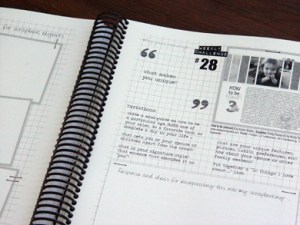
I just found the coolest tool.  It’s called “Log Your Memory.”  It’s a daybook/journal for scrapbookers.  The idea is to give you a single place to jot down things you want to remember and scrapbook. Maybe a page layout idea, a quote from your kids, a song to journal about, photos to take, etc.

There are weekly challenges and questionnaires to get your creative juices going and help you think about areas you may not have scrapbooked about before.Logbook_interior_closeup

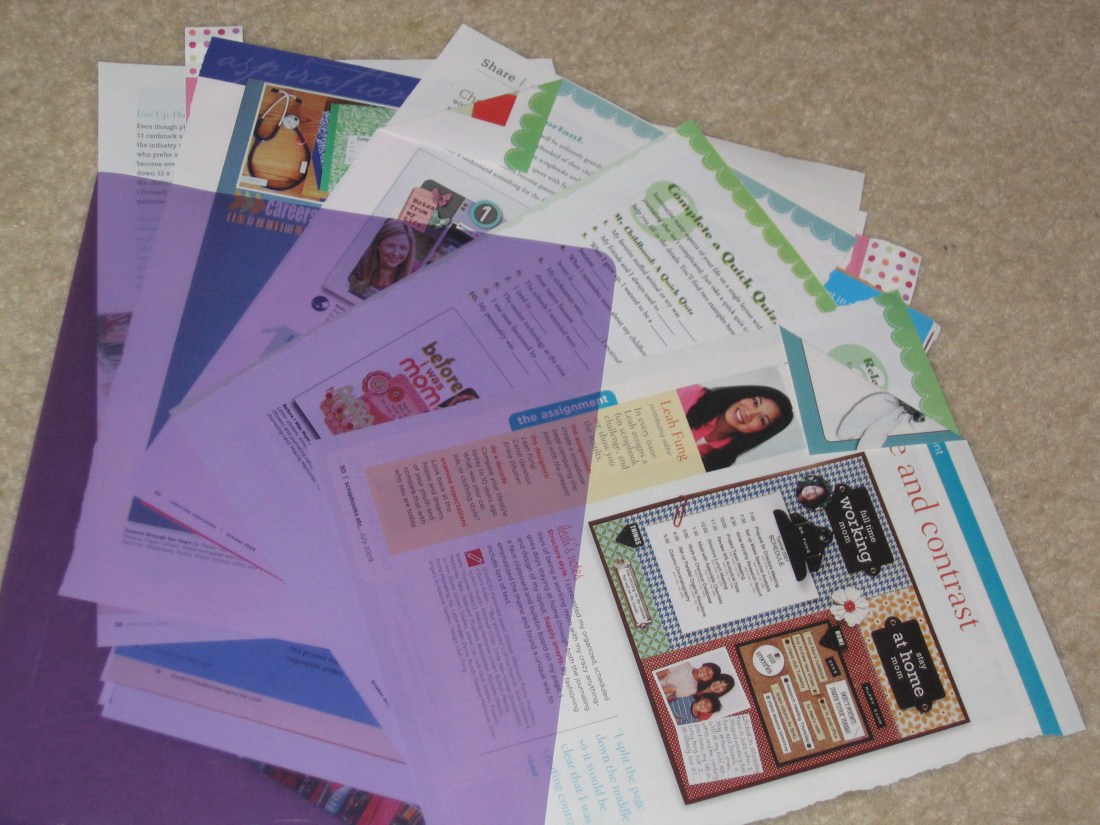
I’m constantly tearing pages out of magazines – layouts I’ve loved, color schemes or design ideas – I am going to add these to my Memory Logbook.  There is a downloadable ebook that you can print yourself at home, or you can purchase a bound or spiral version as well.  I got the downloadable version and am planning to put it in a 3-ring notebook with some pocket pages to hold all those ripped out pages and doodles or scribbles of ideas I have.

Of course, there are monthly and daily planning pages, too.  You can make this your regular planning calendar if you want.

What a cool idea!

You’re not behind…

Happy Sunday!

I’m recovering from a 3 week-long headache and way too much activity this weekend.

So while you’re waitin’ on the next column here, check out my latest guest post here: The Lady at Home.

I’ll be back tomorrow. Promise.

Scrapbook Layout Inspiration

Happy Tuesday, y’all…

It’s raining here. Nasty, wet and cold.  My youngest is at home with me – she has the sniffles. We are snuggled up in the house and I’m trying really hard to remember that I work full-time and stay focused on work.  What I really want to do is grab a blanket or two, light a fire, make some hot tea, and snuggle by the fire with my little Doodlebug.  Maybe that will come in just a little bit.  Must get a few more things done.

I thought today I would share a layout idea that has inspired me.  I found it over at Ella Publishing Company’s website. They have a neat new eZine that has some pretty awesome ideas in it. I’m finding great inspiration for layouts, color schemes, you name it.  One thing I’ve learned over the  years  is to always be on the lookout for things that catch my eye.  Once I find them, I either take a picture, save it on my PC, or put it in a folder I have of scrapbooking ideas.

Here’s my folder –

IMG_3222

I just rip pages out of magazines and save them here. When I sit down to scrapbook and need a little inspiration or help getting the creative juices flowing, I just rummage around in the pile of ideas. That is usually a good way to get me started.

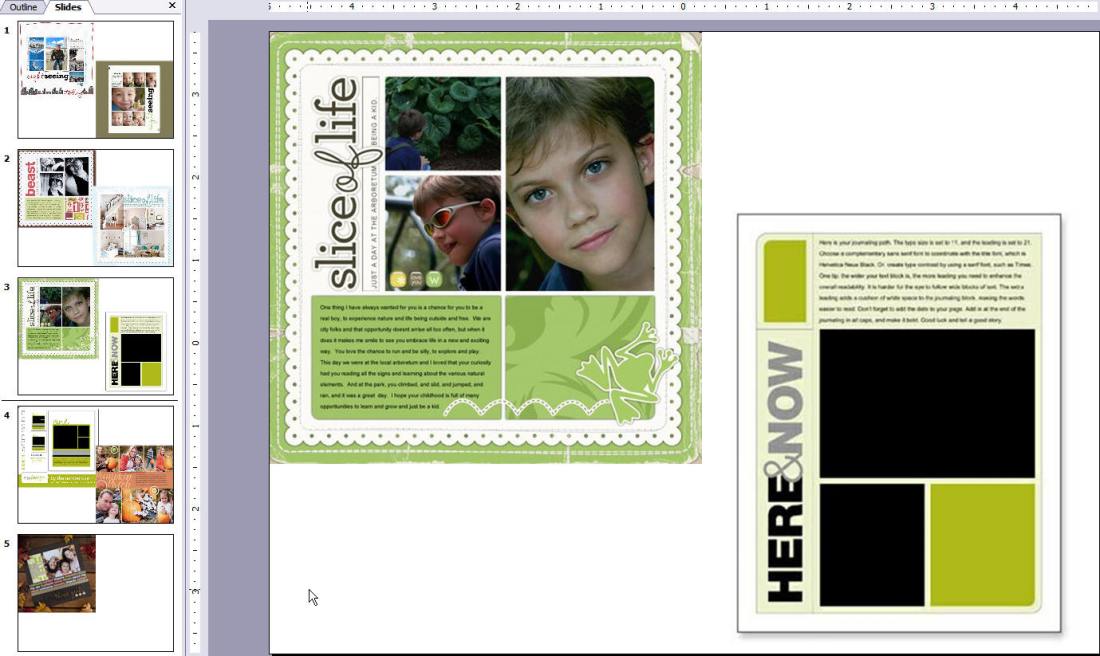
I used to subscribe to tons of scrapbook magazines.  Now, not so many.  I have found that I can get the same inspiration from looking at blogs and other scrapbook related websites (like Ella’s) to find (free) ideas.  So, I have started an electronic version of my idea “folder” as well.  This is a little simpler – it’s just a PowerPoint file that I copy/paste images into whenever I see an idea that inspires me.

ideafile

Here are some places for you to consider as you search for ideas for yourself:

  • Designer Digitals – they have challenges that are awesome. If you are a digital scrapbooker, the downloads that come with the challenges are pretty awesome, too.  If you are traditional, consider getting the downloads anyway. You can always print them on your own cardstock or re-create the layout, etc. on your own.  The ladies at DD are really talented and I always find a few things I want to try over there.
  • Ali Edwards – always has awesome ideas.  Check her blog out (if you haven’t already) – it is well worth the visit.
  • Cathy Zielske – I love her no-nonsense style of scrapbooking. Clean lines, lots of whitespace and capturing the essence of a story.

Okay, enough rambling…. Here’s the original layout that inspired me:

Here’s my version:

my take

And, here’s a bonus for you – a link to a template you can use in StoryBook Creator + (3.0) if you are using that for your digital scrapbooking. (as soon as I get Photoshop Elements, I’ll include those, too. Not in the budget yet, though)

Send me your pages! I’d love to see what you do with the idea!

Check this out

Just a quick update to let you know I have been asked to contribute articles about scrapbooking on the blog “The Lady at Home.”

I’m so very excited to be joining the Lady and sharing my love of scrapbooking with her readers. I will be posting a weekly column (tentatively to be posted on Sundays, I think) so check her website for my articles as well as all kinds of other great things – articles about homeschooling, recipes, etc.

More of Me: The Abridged Version

Ok, so I found some time yesterday to do a little journaling in my Me: The Abridged Version book.  I also realized while I was working that I wanted more vibrant pages for the album.  The color scheme I had chosen was a little muted.  So, I’m amping things up a bit now.

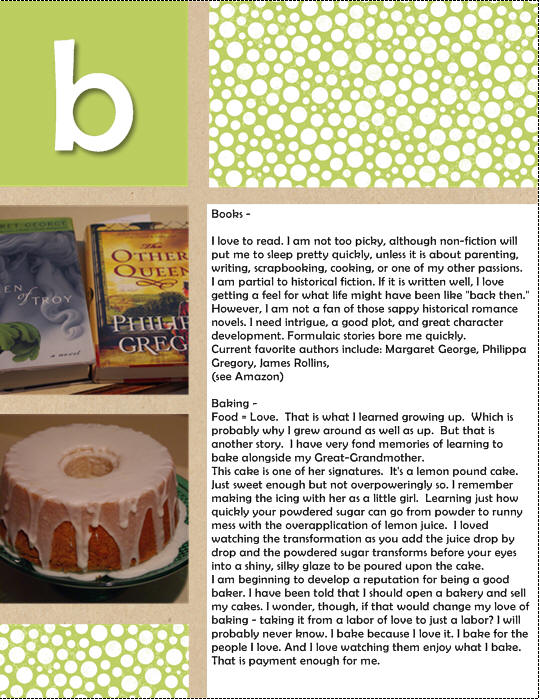
Here’s a sample of a page I’ve completed.

MeTAV-1

I’m still considering removing the craft paper background and just doing it on white.  But I’m not sure yet.  (do you have an opinion?)

MeTAV-3

I’m finding this is actually pretty fun.  It’s an interesting change to write about myself – my thoughts, stories, etc. – as opposed to writing about my kids.  Being the centerpiece of the story instead of the background character who is chronicling the kids’ stories.  You should try it.

And, it’s interesting to me that my girls are very interested in reading the pages as I finish. And they want to know about me!  How cool is that?  As moms I think we get lost sometimes in just being “mom” and forget to be ourselves.  This project is reminding me of the need to focus on me some – focus on my story – and focus on things that make me happy. (like scrapbooking!)

MeTAV-2

I challenge you – do a page about yourself.  Pick a topic – list your five favorite movies or books, tell a story from your childhood, whatever gets your creative juices flowing.  And, remember, the picture is optional. It’s the story that counts.

365 Days of Pictures

In the spring, I started a project I had been contemplating for several months.  “Project 365” is designed to help you capture the everyday moments in your life. Not just the big events and holidays that we usually scrapbook, but the everday minutiae that makes your life YOUR LIFE.  I think it is a really cool idea.  I often think back on my childhood and wonder “Did I do that?” when I’m watching my kids play.  How cool it would be to look back at a snapshot of my life at age 7, for example, and see what I was doing then – and even share that with my kids!

The only reason it took me 3 months to get off my duff and do the project was the thought of remembering to take a picture a day (of what, I thought?) and then actually scrapbooking all those pictures.  I finally bit the bullet in March and started snapping away.  However, I quickly realized that doing this the “traditional” scrapbooking way was going to drive me to drink.  Too much repetition and too much cutting (the template I was using was quite complicated).

So, I decided to make this a digital project.  Sooo much easier. I created the template and now I’m catching up on my album.  It’s so much easier. Just drag & drop the pictures into the placeholders and focus on the journaling and decorative aspects of the page. I’ve decided to keep the pages pretty simple. I want people to focus on the pictures and the stories, not the fancy do-dads.  Here’s a sample:

365-1

Here’s one with a little more decoration:

365-2

I’m chugging along, and actually enjoying the project, now that I am doing it digitally. I’m less overwhelmed by the thought of cutting all those little squares of paper and photos and focusing more on what pictures I want to take to capture the story of a particular day.

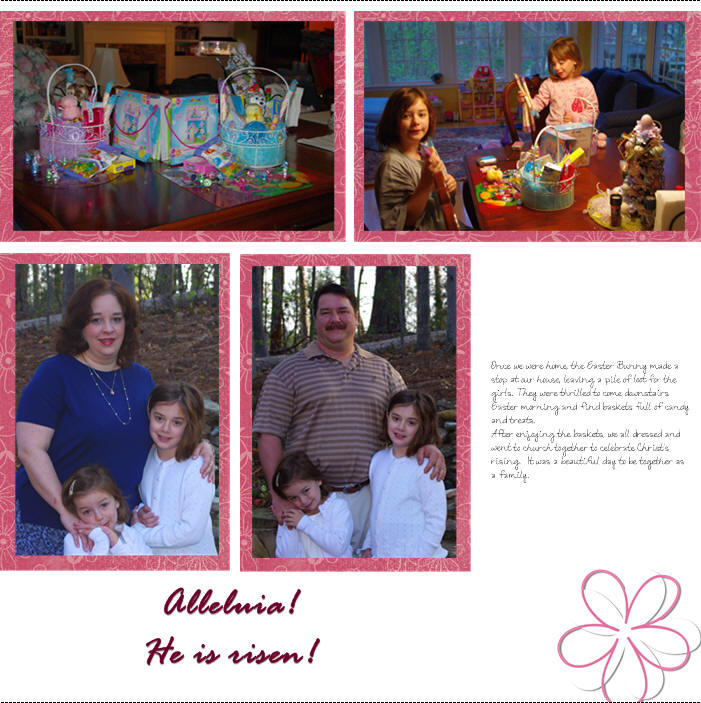
And, you don’t have to stick to the layout. For example, the week of Easter, I decided to focus on two things: decorating eggs and Easter morning. So, rather than having a photo for each day of the week, I just concentrated my photos on those two things to represent that week.  Here’s how it turned out:

365-3

It also gave me a chance to easily handle portrait-style pictures without a lot of cropping:365-4

Think you want to give it a try? Here’s the template (In StoryBook Creator Plus 3.0 format) for you to try it out. You will notice I created it in a StoryBook (rather than page print) file.  That way, I can see the two pages side by side (I love that feature) for lining things up and gaining symmetry.  I can always print individual pages if I choose (and I will) to drop into my existing 12×12 album.

Have fun!

“Power Layouts” (part two)

Yesterday, we talked about using StoryBook Creator Plus to scrapbook using the “Power Layout” method.  We started out organizing our photos and deciding which photos went on which pages.  If you missed yesterday’s post, you can read it here.

Now, let’s pick up where we left off…We’ve got our pictures placed on the pages and we’re ready to move ahead:

4. Go back and pick paper and embellishments for each page. Now that you have your pictures, you can browse through your content and pick the papers and embellishments you want to use for each page. I have found that when doing digital scrapbooking this is easier if you do the paper and embellishments all at the same time (especially in SBC+) because it is easy to click back and forth between the paper you have selected and the coordinating embellishments.

Again, like we did with the pictures, just drag and drop them on the page. Don’t get hung up with placing things here and there or cutting/cropping anything. That comes next.  For right now, focus on picking what color scheme you want, what papers fit the pictures, etc.

Think about what papers/colors will help you tell the story… what will help bring the photos to life?

5. NOW it’s time to do your digi-scrapbooking… make your page using the paper, pictures, and embellishments you have chosen.  This is the time to let your creative juices flow… make use of the cool features SBC+ has and recolor elements, add textures, layer things up.  Crop your pictures.  Design your page. And, while you are doing this, consider finding a cool layout in a scrapbook magazine (or one you have done in another scrapbook) and re-create it on your page.

6. Don’t forget to save (OFTEN!) I am almost afraid to write this… but I want to warn you…. Save frequently. I have been the unfortunate victim of a cantankerous computer and lost many hours’ worth of work before – on so many different things – books, courseware, scrapbook pages, you name it.  I am almost obsessive about saving.  But, the nice thing about saving frequently is that if you do have a crash, you have less work to recover!

7. Tell the story. Write about the event. You can do bullet-style journaling, capturing the who, what, where, when.  Or, you can go deeper and capture your own feelings and thoughts about what the photos represent.  But, take a few minutes and write something down.

The old adage of “a picture speaks a thousand words” may be true for some people, but I’ve found myself wishing I’d asked my grandmother more questions about the photo albums of hers that I am now the keeper of.  I have pictures of her as a young girl, posing next to other young people and I have no idea who they are…. family? friends? And the thing that makes me the most sad is that the story is lost for good.

I may not always tell every story, but I try to capture the basic essence. I want to be sure that when my grandkids are looking at these scrapbook pages waaaay in the future, they will at least have some idea of who was there and what was going on.

8. Walk away. This may sound a bit strange, but when you think you are finished with your page, save it and walk away.  Then, reopen the file a few days later. You may see something you missed before, or have a different perspective than you did the day you started the page.  I find that as my moods shift, so does my perspective on my scrapbook pages.  So, walking away and coming back often results in some minor modifications to my pages.

However, the trap you have to avoid is never finishing the page.  Which leads me to the final step…

9. Order your page prints! Don’t let the finished pages (or StoryBook) wither away on your laptop!  It only takes a few minutes to upload those pages to an online print service and have them printed.  Creative Memories has an awesome service (which I use and love) but there are a lot of others out there as well – Shutterfly, Snapfish, etc.

The key point here is to get the finished pages off of the computer and into your albums!!

Well, that’s it for now.

Next topic: Organizing your digital pictures in MemoryManager (or on your hard drive)