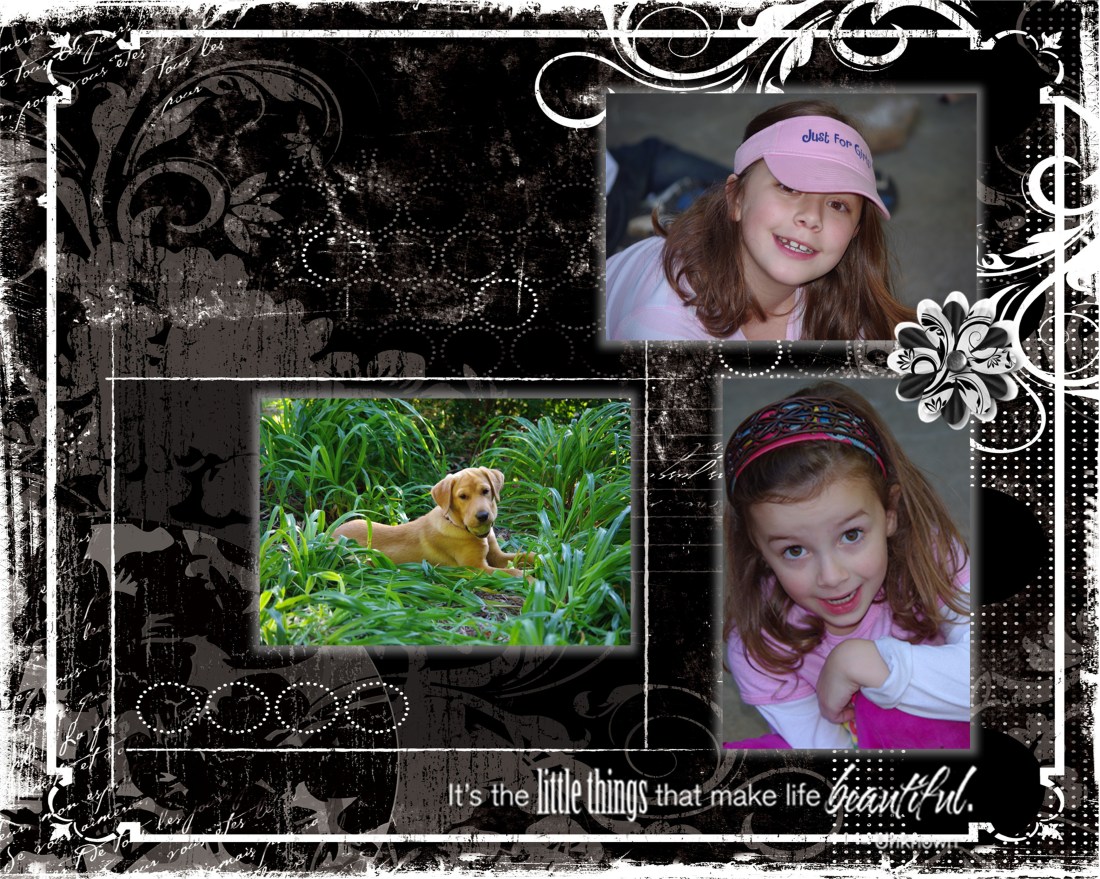
The little things
Thoughts, Plans And Shenanigans
In the spring, I started a project I had been contemplating for several months. “Project 365” is designed to help you capture the everyday moments in your life. Not just the big events and holidays that we usually scrapbook, but the everday minutiae that makes your life YOUR LIFE. I think it is a really cool idea. I often think back on my childhood and wonder “Did I do that?” when I’m watching my kids play. How cool it would be to look back at a snapshot of my life at age 7, for example, and see what I was doing then – and even share that with my kids!
The only reason it took me 3 months to get off my duff and do the project was the thought of remembering to take a picture a day (of what, I thought?) and then actually scrapbooking all those pictures. I finally bit the bullet in March and started snapping away. However, I quickly realized that doing this the “traditional” scrapbooking way was going to drive me to drink. Too much repetition and too much cutting (the template I was using was quite complicated).
So, I decided to make this a digital project. Sooo much easier. I created the template and now I’m catching up on my album. It’s so much easier. Just drag & drop the pictures into the placeholders and focus on the journaling and decorative aspects of the page. I’ve decided to keep the pages pretty simple. I want people to focus on the pictures and the stories, not the fancy do-dads. Here’s a sample:

Here’s one with a little more decoration:

I’m chugging along, and actually enjoying the project, now that I am doing it digitally. I’m less overwhelmed by the thought of cutting all those little squares of paper and photos and focusing more on what pictures I want to take to capture the story of a particular day.
And, you don’t have to stick to the layout. For example, the week of Easter, I decided to focus on two things: decorating eggs and Easter morning. So, rather than having a photo for each day of the week, I just concentrated my photos on those two things to represent that week. Here’s how it turned out:

It also gave me a chance to easily handle portrait-style pictures without a lot of cropping: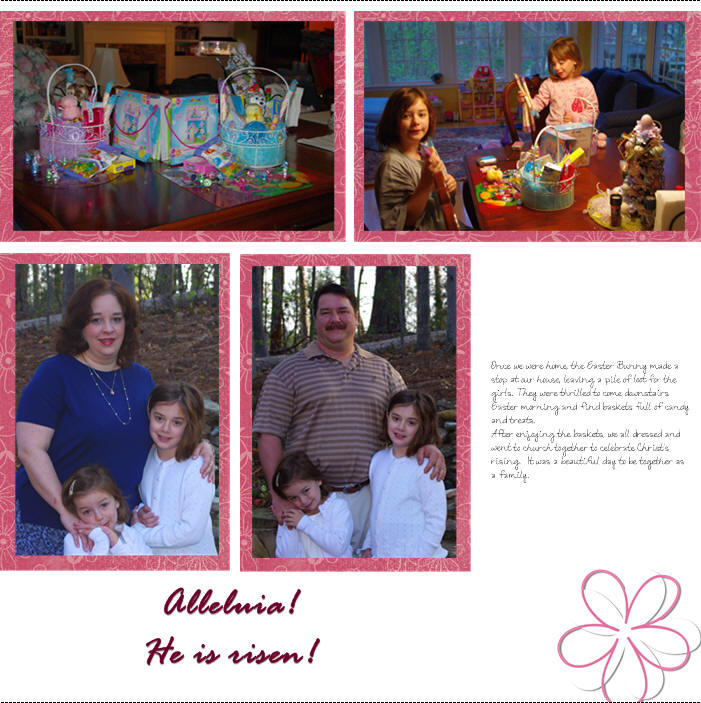
Think you want to give it a try? Here’s the template (In StoryBook Creator Plus 3.0 format) for you to try it out. You will notice I created it in a StoryBook (rather than page print) file. That way, I can see the two pages side by side (I love that feature) for lining things up and gaining symmetry. I can always print individual pages if I choose (and I will) to drop into my existing 12×12 album.
Have fun!
In the spring, I started a project I had been contemplating for several months.
"Project 365" is designed to help you capture the everyday moments in your life. Not just the big events and holidays that we usually scrapbook, but the everday minutiae that makes your life YOUR LIFE. I think it is a really cool idea.
I often think back on my childhood and wonder "Did I do that?" when I'm watching my kids play. How cool it would be to look back at a snapshot of my life at age 7, for example, and see what I was doing then – and even share that with my kids!
The only reason it took me 3 months to get off my duff and do the project was the thought of remembering to take a picture a day (of what, I thought?) and then actually scrapbooking all those pictures.
I finally bit the bullet in March and started snapping away. However, I quickly realized that doing this the "traditional" scrapbooking way was going to drive me to drink. Too much repetition and too much cutting (the template I was using was quite complicated).
So, I decided to make this a digital project. Sooo much easier. I created the template and now I'm catching up on my album. It's so much easier. Just drag & drop the pictures into the placeholders and focus on the journaling and decorative aspects of the page. I've decided to keep the pages pretty simple. I want people to focus on the pictures and the stories, not the fancy do-dads.
Here's a sample:
Here's one with a little more decoration:
I'm chugging along, and actually enjoying the project, now that I am doing it digitally. I'm less overwhelmed by the thought of cutting all those little squares of paper and photos and focusing more on what pictures I want to take to capture the story of a particular day.
And, you don't have to stick to the layout.
For example, the week of Easter, I decided to focus on two things: decorating eggs and Easter morning. So, rather than having a photo for each day of the week, I just concentrated my photos on those two things to represent that week.
Here's how it turned out:
It also gave me a chance to easily handle portrait-style pictures without a lot of cropping:
Think you want to give it a try? Here's the template (In StoryBook Creator Plus 3.0 format) for you to try it out. You will notice I created it in a StoryBook (rather than page print) file. That way, I can see the two pages side by side (I love that feature) for lining things up and gaining symmetry. I can always print individual pages if I choose (and I will) to drop into my existing 12×12 album.
Have fun!
Has anyone seen the handbook?
You know the one….
Parenting your Child: Part 2 (The Pre-Teen Years)
I don’t think I got that with my order…
(or any other handbooks for that matter) But I really, really need this one.
You see, I have this wonderful, beautiful, intelligent child. And about every, oh, day or so, she is invaded by a creature that takes over her consciousness. You know the creature I’m talking about… The one who thinks parents are so lame and don’t know anything. The one who thinks little sisters (or brothers) are stupid and a pain. The one who has the most irrational reactions (good and bad) about the most mundane of things.
When she gets like this I need to find the switch, lever, or button, that will change her back. Because I’m not quite sure what to do with this other model. I’m hoping the handbook will show me where the button is, or how to take the batteries out so I can do a reset. (works on my ipod, why not here?)
So, if you happen to have an unused or extra manual lying around, could you loan it to me? I’m thinking I’ll only need it for the next, oh, eight to ten years… sigh.
Has anyone seen the handbook?
You know the one….
Parenting your Child: Part 2 (The Pre-Teen Years)
I don't think I got that with my order…
(or any other handbooks for that matter)
But I really, really need this one.
You see, I have this wonderful, beautiful, intelligent child. And about every, oh, day or so, she is invaded by a creature that takes over her consciousness.
You know the creature I'm talking about… The one who thinks parents are so lame and don't know anything. The one who thinks little sisters (or brothers) are stupid and a pain. The one who has the most irrational reactions (good and bad) about the most mundane of things.
When she gets like this I need to find the switch, lever, or button, that will change her back. Because I'm not quite sure what to do with this other model. I
'm hoping the handbook will show me where the button is, or how to take the batteries out so I can do a reset. (works on my ipod, why not here?)
So, if you happen to have an unused or extra manual lying around, could you loan it to me?
I'm thinking I'll only need it for the next, oh, eight to ten years… sigh.
I am convinced there is a conspiracy.
This conspiracy has been going on for a long time and appears to be recruiting participants as time goes by.
If you are a mom, you may even be affected by this same conspiracy.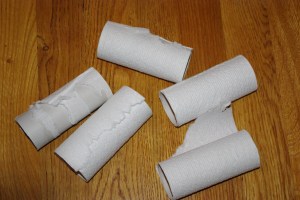
It may be somewhat of a delicate subject, but I’ll dive in…
Here’s what I’m talking about:
It seems that 85-90% of the time when I enter a restroom there is no toilet paper. It happens often enough that I’m beginning to wonder if I have become the universe’s appointed toilet-paper-changer person. At home, we have three bathrooms. And four people. And I promise you, on any given day, whichever bathroom I choose to use will have an empty toilet paper roll sitting there.
Now, it’s not that we haven’t undergone rigorous training around here. Everyone has been carefully schooled in the fine art of taking the empty roll off (and placing in the wastebasket) and replacing with a clean, fresh roll. I even make sure we are well-stocked in the lavatory – keeping 3-4 rolls on hand in the event of a major situation in which we need copious amounts of TP.
However, it never fails. I am greeted with the sad straggler of the abandoned roll; waiting to be decommissioned and reassigned to the recycling.
I’m sure you’ve encountered this before yourself. Am I right?
I often wonder – do they do this on purpose? Or is it just lucky coincidence?
I have even left the empty roll on there just to see what others will do. Usually… nothing.
However, I do recall one time a few years back when my oldest decided to be helpful and “fix” the TP.  Now we have a reinforced holder covering the hole in the wall that was a result of her struggle to remove the roll from the holder. (poor thing was really upset!) After that incident, I was actually glad she quit wanting to “help” and happily changed out the rolls myself.
It’s not that I mind changing out the rolls. I don’t. I just marvel at how quickly they seem to need changing. And how it always seems to be when it’s my turn in the facilities. Like there is a cosmic timeline and the timer goes off when I step in the bathroom “bing! time to change the roll!”
I have noticed, too, that I seem to be the lucky one to find the empty rolls in other places, too.
When I am visiting a friend, for example. And then I’m always struck with the dilemma. What do I do? Rummage in their powder room for a replacement roll? Leave the empty roll dangling and use tissues? (if there are any) I usually opt to refill the roll, hoping that my hostess will be more glad I restocked than she is perturbed by my rummaging.
And let’s don’t even get started on the whole “over” or “under” debate…
I am convinced there is a conspiracy.
This conspiracy has been going on for a long time and appears to be recruiting participants as time goes by.
If you are a mom, you may even be affected by this same conspiracy.
It may be somewhat of a delicate subject, but I'll dive in…
Here's what I'm talking about:
It seems that 85-90% of the time when I enter a restroom there is no toilet paper. It happens often enough that I'm beginning to wonder if I have become the universe's appointed toilet-paper-changer person.
At home, we have three bathrooms. And four people.
And I promise you, on any given day, whichever bathroom I choose to use will have an empty toilet paper roll sitting there.
Now, it's not that we haven't undergone rigorous training around here.
Everyone has been carefully schooled in the fine art of taking the empty roll off (and placing in the wastebasket) and replacing with a clean, fresh roll. I even make sure we are well-stocked in the lavatory – keeping 3-4 rolls on hand in the event of a major situation in which we need copious amounts of TP.
However, it never fails. I am greeted with the sad straggler of the abandoned roll; waiting to be decommissioned and reassigned to the recycling.
I'm sure you've encountered this before yourself. Am I right?
I often wonder – do they do this on purpose?
Or is it just lucky coincidence?
I have even left the empty roll on there just to see what others will do. Usually… nothing.
However, I do recall one time a few years back when my oldest decided to be helpful and "fix" the TP.
Now we have a reinforced holder covering the hole in the wall that was a result of her struggle to remove the roll from the holder. (poor thing was really upset!)
After that incident, I was actually glad she quit wanting to "help" and happily changed out the rolls myself.
It's not that I mind changing out the rolls. I don't. I just marvel at how quickly they seem to need changing. And how it always seems to be when it's my turn in the facilities. Like there is a cosmic timeline and the timer goes off when I step in the bathroom "bing! time to change the roll!"
I have noticed, too, that I seem to be the lucky one to find the empty rolls in other places, too.
When I am visiting a friend, for example. And then I'm always struck with the dilemma. What do I do? Rummage in their powder room for a replacement roll? Leave the empty roll dangling and use tissues? (if there are any) I usually opt to refill the roll, hoping that my hostess will be more glad I restocked than she is perturbed by my rummaging.
And let's don't even get started on the whole "over" or "under" debate…
This is a parenting one and I love, love, love it. Happy Tickets!
A simple, no-nonsense, just-in-time way to reward your kids for doing the right thing. Awesome.
Follow this link to her blog page and learn about Happy Tickets. I'm downloading mine now. I bet you will, too.
When I was exclusively a "Traditional" scrapbooker, I used the "Power Layout" method all the time.
Especially when I had a big project I was working on. It was a great way to take something that seemed overwhelming, daunting, even, and break it down into bite-sized chunks. Now that I scrapbook both digitally and traditionally, I wondered how I could make the method work in the digital world.
Here are the thoughts I had (and feel free to share your own ideas in the comments).
Note: I am using StoryBook Creator Plus 3.0 and Memory Manager 3.0 (which are Creative Memories products) I'm not a Photoshop scrapbooker. Never will be. Photoshop is too complicated for me! However, these concepts should work regardless of the tool you use.
1. Decide which photos you want to use. The first step is to figure out what pictures you want to use. If you are using Memory Manager, you can do this ahead of time by using the sort boxes and organizing your photos by project. In an upcoming post, I'll offer some suggestions for organizing your digital photos.
For right now, though, pick out the photos you want to use. In Memory Manager (MM) you can drag the pictures to the Work Area.
From there, you can click on Share and choose StoryBook Creator (SBC). This should offer you the option of creating a new StoryBook or dropping the files in an existing StoryBook. If this is a new project, go ahead and create the new StoryBook. If it is for an existing project, be sure you already have SBC open and the StoryBook already open.
Here's a tip: Create a StoryBook, not a Page Print document. If you create a StoryBook, you will still have the option to print pages individually. However, you'll also have the option to view two pages at a time (and bounce between the two pages easily to edit them). This is a great feature which allows you to easily line things up across two pages and ensure that your layouts have balance.
Note that when you create a StoryBook, you get a default number of pages in your StoryBook (I think it is 20 pages). You can always add or remove pages as you go so don't worry about how many pages you think you may need in the StoryBook.
2. Set your view to "Two Pages" in SBC+ so that you can easily work between both pages in a two page spread. You can do this by going to View and selecting Two Pages. You should also consider setting your speed to High Speed rather than High Quality. It will speed up your work considerably and does not affect anything other than the way your pages are displayed onscreen.
3. Drag and drop your pictures on the page. Don't worry about putting things in any order or arranging them on the pages. Just drag and drop the pictures you want grouped together on the page. Then, move on to the next page (use the Previous/Next buttons on the top right for faster navigating between pages). Don't get hung up on deciding what should go where on a page. Just figure 4-6 pictures per page and move on to the next.
Here's another tip: Set your picture view to Show: Photos Not Used. That way you don't accidentally use a picture twice. I've done that before and didn't notice it… even after I got the printed pages back! My kids noticed. I didn't.
Tomorrow… the next steps.
 Thoughts Along Life's Highway