


Thoughts, Plans And Shenanigans
Someone has figured out that the cabinet makes a cool "clubhouse"
She is getting so big….
And who can resist that?
Has anyone seen the handbook?
You know the one….
Parenting your Child: Part 2 (The Pre-Teen Years)
I don’t think I got that with my order…
(or any other handbooks for that matter) But I really, really need this one.
You see, I have this wonderful, beautiful, intelligent child. And about every, oh, day or so, she is invaded by a creature that takes over her consciousness. You know the creature I’m talking about… The one who thinks parents are so lame and don’t know anything. The one who thinks little sisters (or brothers) are stupid and a pain. The one who has the most irrational reactions (good and bad) about the most mundane of things.
When she gets like this I need to find the switch, lever, or button, that will change her back. Because I’m not quite sure what to do with this other model. I’m hoping the handbook will show me where the button is, or how to take the batteries out so I can do a reset. (works on my ipod, why not here?)
So, if you happen to have an unused or extra manual lying around, could you loan it to me? I’m thinking I’ll only need it for the next, oh, eight to ten years… sigh.
Has anyone seen the handbook?
You know the one….
Parenting your Child: Part 2 (The Pre-Teen Years)
I don't think I got that with my order…
(or any other handbooks for that matter)
But I really, really need this one.
You see, I have this wonderful, beautiful, intelligent child. And about every, oh, day or so, she is invaded by a creature that takes over her consciousness.
You know the creature I'm talking about… The one who thinks parents are so lame and don't know anything. The one who thinks little sisters (or brothers) are stupid and a pain. The one who has the most irrational reactions (good and bad) about the most mundane of things.
When she gets like this I need to find the switch, lever, or button, that will change her back. Because I'm not quite sure what to do with this other model. I
'm hoping the handbook will show me where the button is, or how to take the batteries out so I can do a reset. (works on my ipod, why not here?)
So, if you happen to have an unused or extra manual lying around, could you loan it to me?
I'm thinking I'll only need it for the next, oh, eight to ten years… sigh.
I am convinced there is a conspiracy.
This conspiracy has been going on for a long time and appears to be recruiting participants as time goes by.
If you are a mom, you may even be affected by this same conspiracy.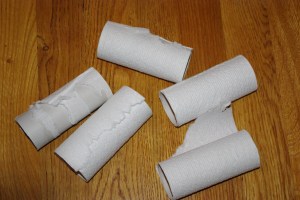
It may be somewhat of a delicate subject, but I’ll dive in…
Here’s what I’m talking about:
It seems that 85-90% of the time when I enter a restroom there is no toilet paper. It happens often enough that I’m beginning to wonder if I have become the universe’s appointed toilet-paper-changer person. At home, we have three bathrooms. And four people. And I promise you, on any given day, whichever bathroom I choose to use will have an empty toilet paper roll sitting there.
Now, it’s not that we haven’t undergone rigorous training around here. Everyone has been carefully schooled in the fine art of taking the empty roll off (and placing in the wastebasket) and replacing with a clean, fresh roll. I even make sure we are well-stocked in the lavatory – keeping 3-4 rolls on hand in the event of a major situation in which we need copious amounts of TP.
However, it never fails. I am greeted with the sad straggler of the abandoned roll; waiting to be decommissioned and reassigned to the recycling.
I’m sure you’ve encountered this before yourself. Am I right?
I often wonder – do they do this on purpose? Or is it just lucky coincidence?
I have even left the empty roll on there just to see what others will do. Usually… nothing.
However, I do recall one time a few years back when my oldest decided to be helpful and “fix” the TP.  Now we have a reinforced holder covering the hole in the wall that was a result of her struggle to remove the roll from the holder. (poor thing was really upset!) After that incident, I was actually glad she quit wanting to “help” and happily changed out the rolls myself.
It’s not that I mind changing out the rolls. I don’t. I just marvel at how quickly they seem to need changing. And how it always seems to be when it’s my turn in the facilities. Like there is a cosmic timeline and the timer goes off when I step in the bathroom “bing! time to change the roll!”
I have noticed, too, that I seem to be the lucky one to find the empty rolls in other places, too.
When I am visiting a friend, for example. And then I’m always struck with the dilemma. What do I do? Rummage in their powder room for a replacement roll? Leave the empty roll dangling and use tissues? (if there are any) I usually opt to refill the roll, hoping that my hostess will be more glad I restocked than she is perturbed by my rummaging.
And let’s don’t even get started on the whole “over” or “under” debate…
I am convinced there is a conspiracy.
This conspiracy has been going on for a long time and appears to be recruiting participants as time goes by.
If you are a mom, you may even be affected by this same conspiracy.
It may be somewhat of a delicate subject, but I'll dive in…
Here's what I'm talking about:
It seems that 85-90% of the time when I enter a restroom there is no toilet paper. It happens often enough that I'm beginning to wonder if I have become the universe's appointed toilet-paper-changer person.
At home, we have three bathrooms. And four people.
And I promise you, on any given day, whichever bathroom I choose to use will have an empty toilet paper roll sitting there.
Now, it's not that we haven't undergone rigorous training around here.
Everyone has been carefully schooled in the fine art of taking the empty roll off (and placing in the wastebasket) and replacing with a clean, fresh roll. I even make sure we are well-stocked in the lavatory – keeping 3-4 rolls on hand in the event of a major situation in which we need copious amounts of TP.
However, it never fails. I am greeted with the sad straggler of the abandoned roll; waiting to be decommissioned and reassigned to the recycling.
I'm sure you've encountered this before yourself. Am I right?
I often wonder – do they do this on purpose?
Or is it just lucky coincidence?
I have even left the empty roll on there just to see what others will do. Usually… nothing.
However, I do recall one time a few years back when my oldest decided to be helpful and "fix" the TP.
Now we have a reinforced holder covering the hole in the wall that was a result of her struggle to remove the roll from the holder. (poor thing was really upset!)
After that incident, I was actually glad she quit wanting to "help" and happily changed out the rolls myself.
It's not that I mind changing out the rolls. I don't. I just marvel at how quickly they seem to need changing. And how it always seems to be when it's my turn in the facilities. Like there is a cosmic timeline and the timer goes off when I step in the bathroom "bing! time to change the roll!"
I have noticed, too, that I seem to be the lucky one to find the empty rolls in other places, too.
When I am visiting a friend, for example. And then I'm always struck with the dilemma. What do I do? Rummage in their powder room for a replacement roll? Leave the empty roll dangling and use tissues? (if there are any) I usually opt to refill the roll, hoping that my hostess will be more glad I restocked than she is perturbed by my rummaging.
And let's don't even get started on the whole "over" or "under" debate…
Yesterday, we talked about using StoryBook Creator Plus to scrapbook using the “Power Layout” method. We started out organizing our photos and deciding which photos went on which pages. If you missed yesterday’s post, you can read it here.
Now, let’s pick up where we left off…We’ve got our pictures placed on the pages and we’re ready to move ahead:
4. Go back and pick paper and embellishments for each page. Now that you have your pictures, you can browse through your content and pick the papers and embellishments you want to use for each page. I have found that when doing digital scrapbooking this is easier if you do the paper and embellishments all at the same time (especially in SBC+) because it is easy to click back and forth between the paper you have selected and the coordinating embellishments.
Again, like we did with the pictures, just drag and drop them on the page. Don’t get hung up with placing things here and there or cutting/cropping anything. That comes next. For right now, focus on picking what color scheme you want, what papers fit the pictures, etc.
Think about what papers/colors will help you tell the story… what will help bring the photos to life?
5. NOW it’s time to do your digi-scrapbooking… make your page using the paper, pictures, and embellishments you have chosen. This is the time to let your creative juices flow… make use of the cool features SBC+ has and recolor elements, add textures, layer things up. Crop your pictures. Design your page. And, while you are doing this, consider finding a cool layout in a scrapbook magazine (or one you have done in another scrapbook) and re-create it on your page.
6. Don’t forget to save (OFTEN!) I am almost afraid to write this… but I want to warn you…. Save frequently. I have been the unfortunate victim of a cantankerous computer and lost many hours’ worth of work before – on so many different things – books, courseware, scrapbook pages, you name it. I am almost obsessive about saving. But, the nice thing about saving frequently is that if you do have a crash, you have less work to recover!
7. Tell the story. Write about the event. You can do bullet-style journaling, capturing the who, what, where, when. Or, you can go deeper and capture your own feelings and thoughts about what the photos represent. But, take a few minutes and write something down.
The old adage of “a picture speaks a thousand words” may be true for some people, but I’ve found myself wishing I’d asked my grandmother more questions about the photo albums of hers that I am now the keeper of. I have pictures of her as a young girl, posing next to other young people and I have no idea who they are…. family? friends? And the thing that makes me the most sad is that the story is lost for good.
I may not always tell every story, but I try to capture the basic essence. I want to be sure that when my grandkids are looking at these scrapbook pages waaaay in the future, they will at least have some idea of who was there and what was going on.
8. Walk away. This may sound a bit strange, but when you think you are finished with your page, save it and walk away. Then, reopen the file a few days later. You may see something you missed before, or have a different perspective than you did the day you started the page. I find that as my moods shift, so does my perspective on my scrapbook pages. So, walking away and coming back often results in some minor modifications to my pages.
However, the trap you have to avoid is never finishing the page. Which leads me to the final step…
9. Order your page prints! Don’t let the finished pages (or StoryBook) wither away on your laptop! It only takes a few minutes to upload those pages to an online print service and have them printed. Creative Memories has an awesome service (which I use and love) but there are a lot of others out there as well – Shutterfly, Snapfish, etc.
The key point here is to get the finished pages off of the computer and into your albums!!
Well, that’s it for now.
Next topic: Organizing your digital pictures in MemoryManager (or on your hard drive)
Yesterday, we talked about using StoryBook Creator Plus to scrapbook using the "Power Layout" method. We started out organizing our photos and deciding which photos went on which pages.
If you missed yesterday's post, you can read it here.
Now, let's pick up where we left off…We've got our pictures placed on the pages and we're ready to move ahead:
4. Go back and pick paper and embellishments for each page. Now that you have your pictures, you can browse through your content and pick the papers and embellishments you want to use for each page. I have found that when doing digital scrapbooking this is easier if you do the paper and embellishments all at the same time (especially in SBC+) because it is easy to click back and forth between the paper you have selected and the coordinating embellishments.
Again, like we did with the pictures, just drag and drop them on the page. Don't get hung up with placing things here and there or cutting/cropping anything. That comes next. For right now, focus on picking what color scheme you want, what papers fit the pictures, etc.
Think about what papers/colors will help you tell the story… what will help bring the photos to life?
5. NOW it's time to do your digi-scrapbooking… make your page using the paper, pictures, and embellishments you have chosen. This is the time to let your creative juices flow… make use of the cool features SBC+ has and recolor elements, add textures, layer things up. Crop your pictures. Design your page. And, while you are doing this, consider finding a cool layout in a scrapbook magazine (or one you have done in another scrapbook) and re-create it on your page.
6. Don't forget to save (OFTEN!) I am almost afraid to write this… but I want to warn you…. Save frequently. I have been the unfortunate victim of a cantankerous computer and lost many hours' worth of work before – on so many different things – books, courseware, scrapbook pages, you name it. I am almost obsessive about saving. But, the nice thing about saving frequently is that if you do have a crash, you have less work to recover!
7. Tell the story. every story, but I try to capture the basic essence. I want to be sure that when my grandkids are looking at these scrapbook pages waaaay in the future, they will at least have some idea of who was there and what was going on.
8. Walk away. This may sound a bit strange, but when you think you are finished with your page, save it and walk away. Then, reopen the file a few days later. You may see something you missed before, or have a different perspective than you did the day you started the page. I find that as my moods shift, so does my perspective on my scrapbook pages.
So, walking away and coming back often results in some minor modifications to my pages.
However, the trap you have to avoid is never finishing the page. Which leads me to the final step…
9. Order your page prints! Don't let the finished pages (or StoryBook) wither away on your laptop! It only takes a few minutes to upload those pages to an online print service and have them printed. Creative Memories has an awesome service (which I use and love) but there are a lot of others out there as well – Shutterfly, Snapfish, etc. The key point here is to get the finished pages off of the computer and into your albums!!
Well, that's it for now. Next topic: Organizing your digital pictures in MemoryManager (or on your hard drive)
Write about the event. You can do bullet-style journaling, capturing the who, what, where, when. Or, you can go deeper and capture your own feelings and thoughts about what the photos represent. But, take a few minutes and write something down.
The old adage of "a picture speaks a thousand words" may be true for some people, but I've found myself wishing I'd asked my grandmother more questions about the photo albums of hers that I am now the keeper of. I have pictures of her as a young girl, posing next to other young people and I have no idea who they are…. family? friends? And the thing that makes me the most sad is that the story is lost for good.
I may not always tell
When I was exclusively a “Traditional” scrapbooker, I used the “Power Layout” method all the time. Especially when I had a big project I was working on. It was a great way to take something that seemed overwhelming, daunting, even, and break it down into bite-sized chunks. Now that I scrapbook both digitally and traditionally, I wondered how I could make the method work in the digital world. Here are the thoughts I had (and feel free to share your own ideas in the comments).
Note: I am using StoryBook Creator Plus 3.0 and Memory Manager 3.0 (which are Creative Memories products) I’m not a Photoshop scrapbooker. Never will be. Photoshop is too complicated for me! However, these concepts should work regardless of the tool you use.
1. Decide which photos you want to use. The first step is to figure out what pictures you want to use. If you are using Memory Manager, you can do this ahead of time by using the sort boxes and organizing your photos by project. In an upcoming post, I’ll offer some suggestions for organizing your digital photos. For right now, though, pick out the photos you want to use. In Memory Manager (MM) you can drag the pictures to the Work Area.
From there, you can click on Share and choose StoryBook Creator (SBC). This should offer you the option of creating a new StoryBook or dropping the files in an existing StoryBook. If this is a new project, go ahead and create the new StoryBook. If it is for an existing project, be sure you already have SBC open and the StoryBook already open.
Here’s a tip: Create a StoryBook, not a Page Print document. If you create a StoryBook, you will still have the option to print pages individually. However, you’ll also have the option to view two pages at a time (and bounce between the two pages easily to edit them). This is a great feature which allows you to easily line things up across two pages and ensure that your layouts have balance.
Note that when you create a StoryBook, you get a default number of pages in your StoryBook (I think it is 20 pages). You can always add or remove pages as you go so don’t worry about how many pages you think you may need in the StoryBook.
3. Set your view to “Two Pages” in SBC+ so that you can easily work between both pages in a two page spread. You can do this by going to View and selecting Two Pages. You should also consider setting your speed to High Speed rather than High Quality. It will speed up your work considerably and does not affect anything other than the way your pages are displayed onscreen.
4. Drag and drop your pictures on the page. Don’t worry about putting things in any order or arranging them on the pages. Just drag and drop the pictures you want grouped together on the page. Then, move on to the next page (use the Previous/Next buttons on the top right for faster navigating between pages). Don’t get hung up on deciding what should go where on a page. Just figure 4-6 pictures per page and move on to the next.
Here’s another tip: Set your picture view to Show: Photos Not Used. That way you don’t accidentally use a picture twice. I’ve done that before and didn’t notice it… even after I got the printed pages back! My kids noticed. I didn’t.
Tomorrow… the next steps.
 Thoughts Along Life's Highway